 Cento
What's new in Cento 1.9: months side by side, eight languages and two plans
Everything that changed in Cento between 1.7 and 1.9, on Android and iPhone: the Columns chart compares your months, the app speaks eight languages, the Personal and Family plans, money personality labels in People, a new welcome screen, and an optional email list.
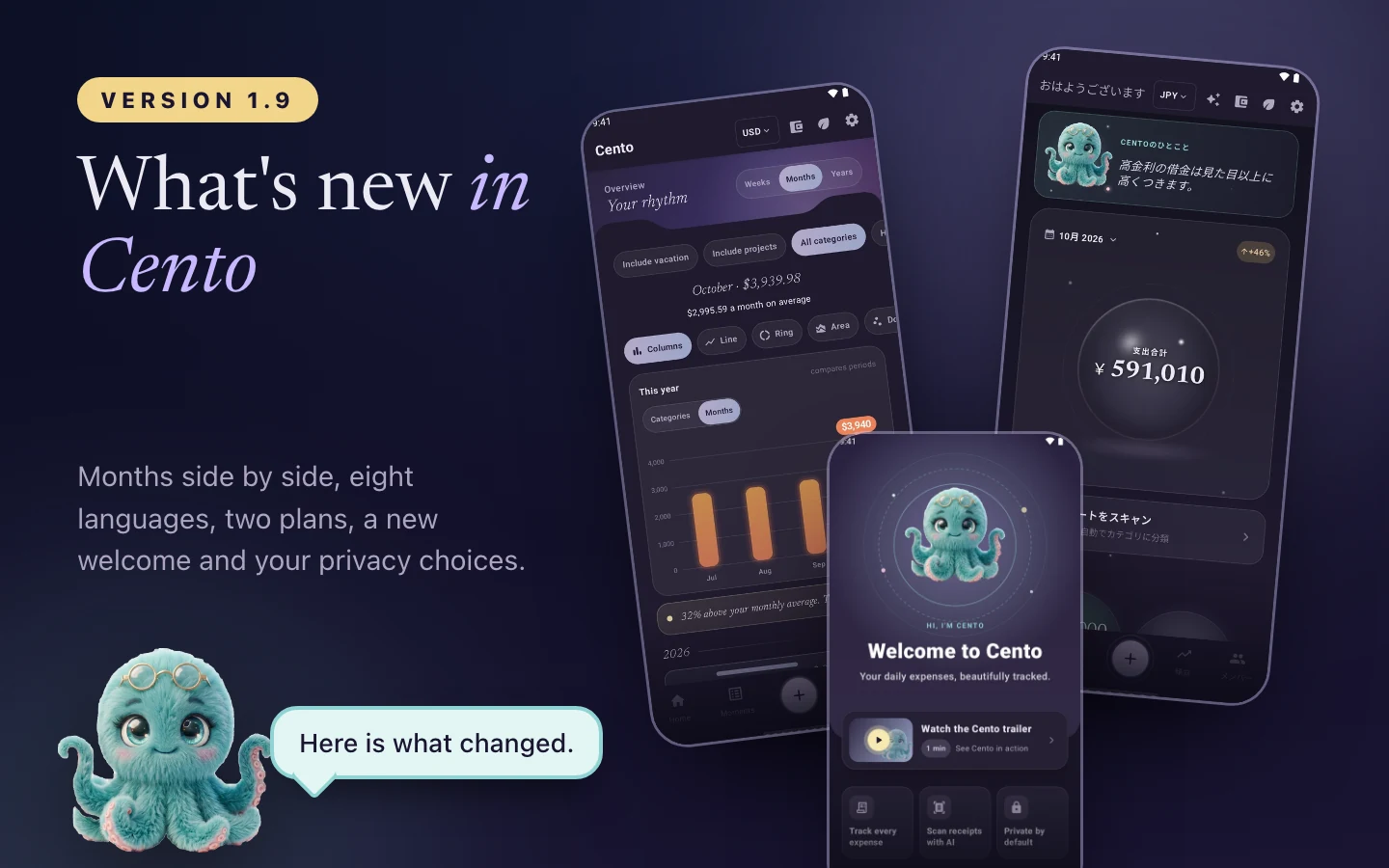
Cento 1.9 is in Google Play and the App Store this week. This article goes through what changed since 1.7, the version from the end of October, in the order you are most likely to notice it. Two versions shipped in between on Android, 1.8 and 1.9, and iPhone users get both sets of changes in one update, so the list is the same on both.
Compare your months in the Columns chart
The Columns chart in Statistics used to show one thing: your categories for the month you picked. It now has a switch with two positions, Categories and Months. In the second position each column is a month of this year, oldest to newest, so you see at a glance whether October was a normal month or a heavy one. When the chart is set to weeks, the columns are the last four weeks, and when it is set to years, up to twelve years.
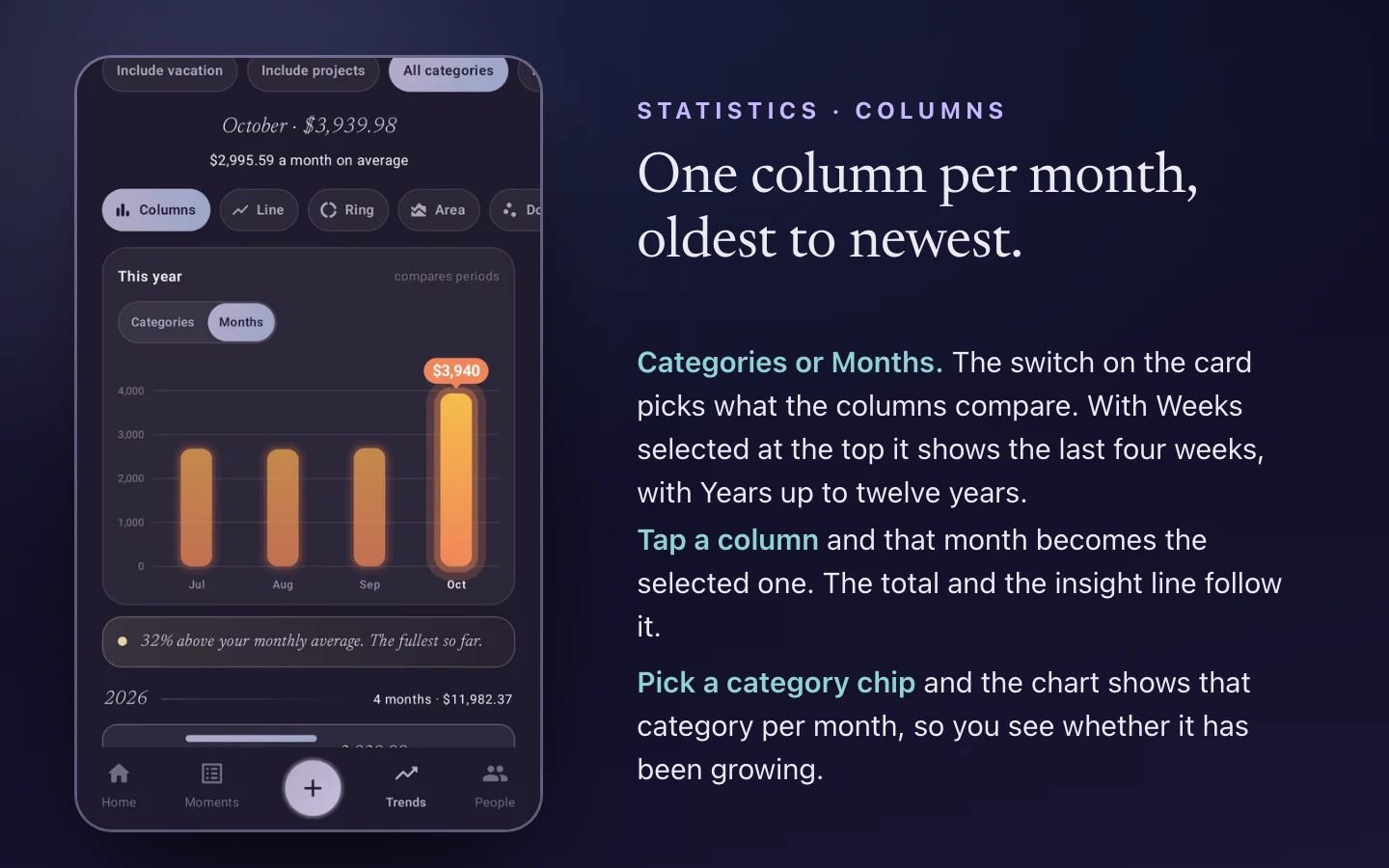
Tap a column and that month becomes the selected one, so the total at the top and the insight line follow it. If you pick a category chip, say Groceries, the chart shows that category per month, which is the quickest way to check whether one category has been growing. The insight under the chart compares the selected month with the average of the others, the same way the line chart does.
Cento speaks eight languages
Until 1.7 Cento was in English and Romanian. Since 1.8 it is also in German, French, Spanish, Italian, Portuguese (Brazil) and Japanese. The whole app is translated: every screen, the built-in category names, the welcome video and the three daily money stories on Home. Receipts were already read in any language, so a German receipt scanned on a Japanese phone ends up with the right items and categories.
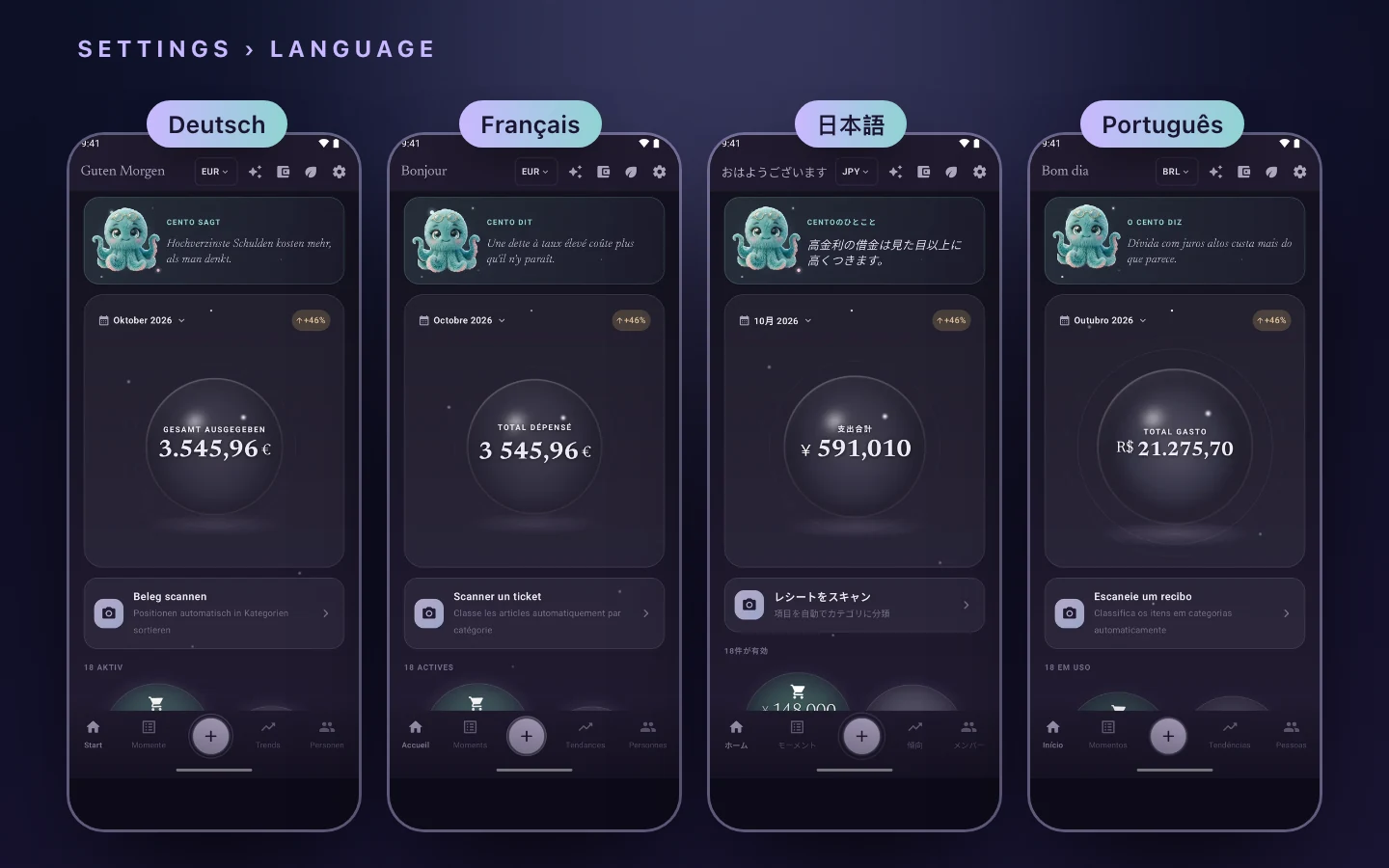
The app follows the language of your phone. If you prefer a different one, Settings has a Language entry with all eight. Dates, month names and money are formatted the way your region writes them, so a French user sees 1 234,56 € and a Brazilian user sees R$ 1.234,56.
Two plans: Personal and Family
Premium now comes in two plans. Personal is for one person. Family covers up to five people in one household, and one person pays for all of them. Each plan has a monthly allowance of AI scans and Ask Cento questions, and the Scan screen shows how many you have left this month, so there is no surprise at the end of it. On Family the allowance is shared by everyone in the household.
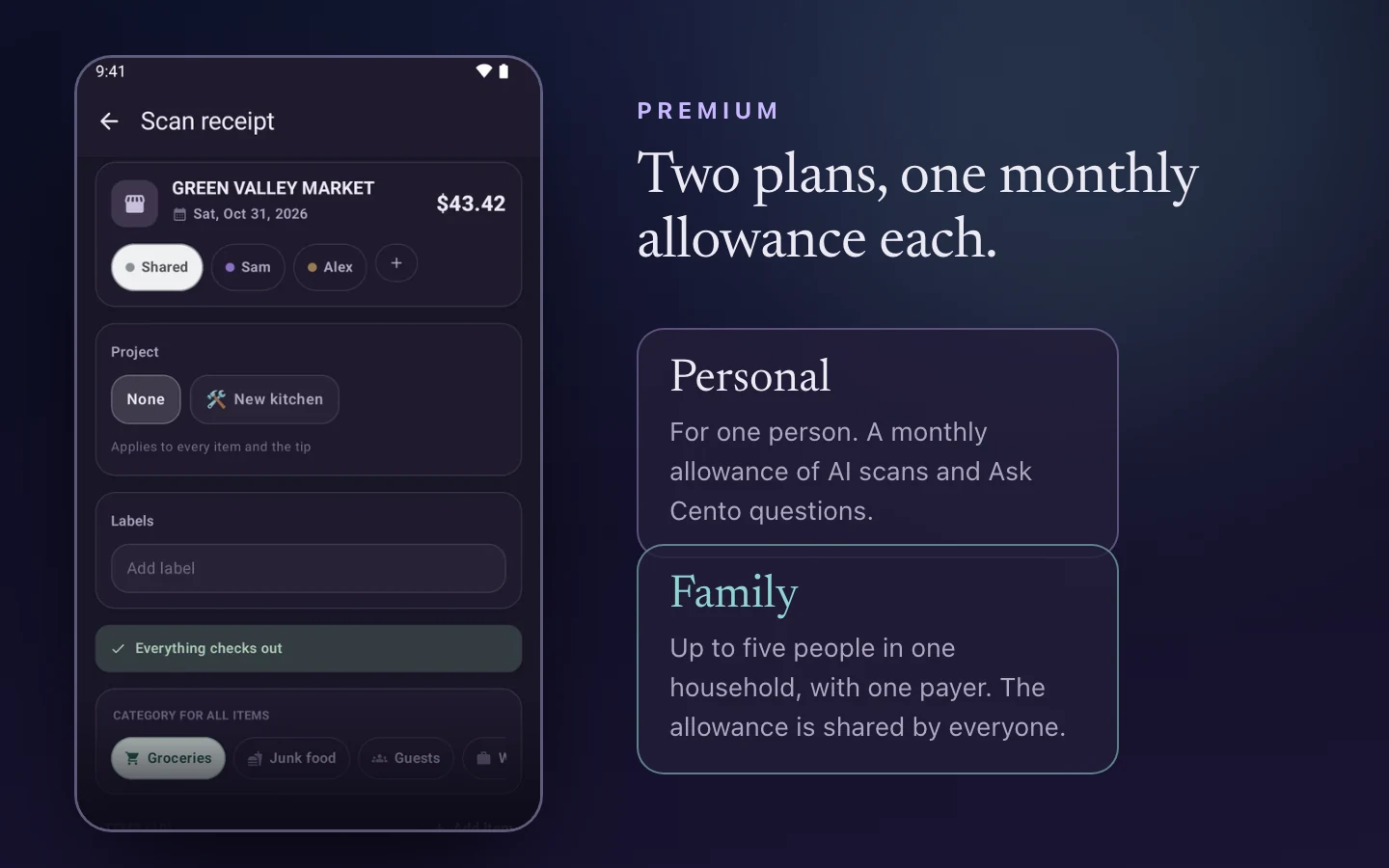
Both plans are available monthly and yearly, and Personal also comes as a weekly plan for people who want to try it for a short time. The Premium screen in the app lists the current prices for your country.
Money personalities, now visible in the household
In 1.7 we added the money personality test: 14 short statements, about three minutes, and a result that describes how you plan, spend and save. Since 1.8, when someone in your household chooses to share their result, their label shows on their card in the People screen, next to the Member badge. Tap the label to read the description of that personality. The household sees the label and the description of the personality type. Your answers stay on your phone.
Sharing is a switch on your own result screen, off until you turn it on, and you can turn it off again at any time.
On iPhone, household changes arrive in the background
If you share a household, the expenses your partner adds now reach your iPhone while Cento is closed, so the app is up to date when you open it. Android has done this since the first household version, and iPhone now does the same through the system’s background refresh. It happens a few times a day, when iOS decides the moment is right, and costs nothing in battery that you would notice.
A new welcome screen, with a short video
First-time users see a new welcome screen. It opens with a one-minute video about Maya and Dan, who share one home and one budget, and shows what Cento does for them: a scanned receipt read line by line, the expense arriving on the other phone, Ask Cento, budget pockets and CresCENTO. The video is in all eight languages, drawn by us, with music we made ourselves.
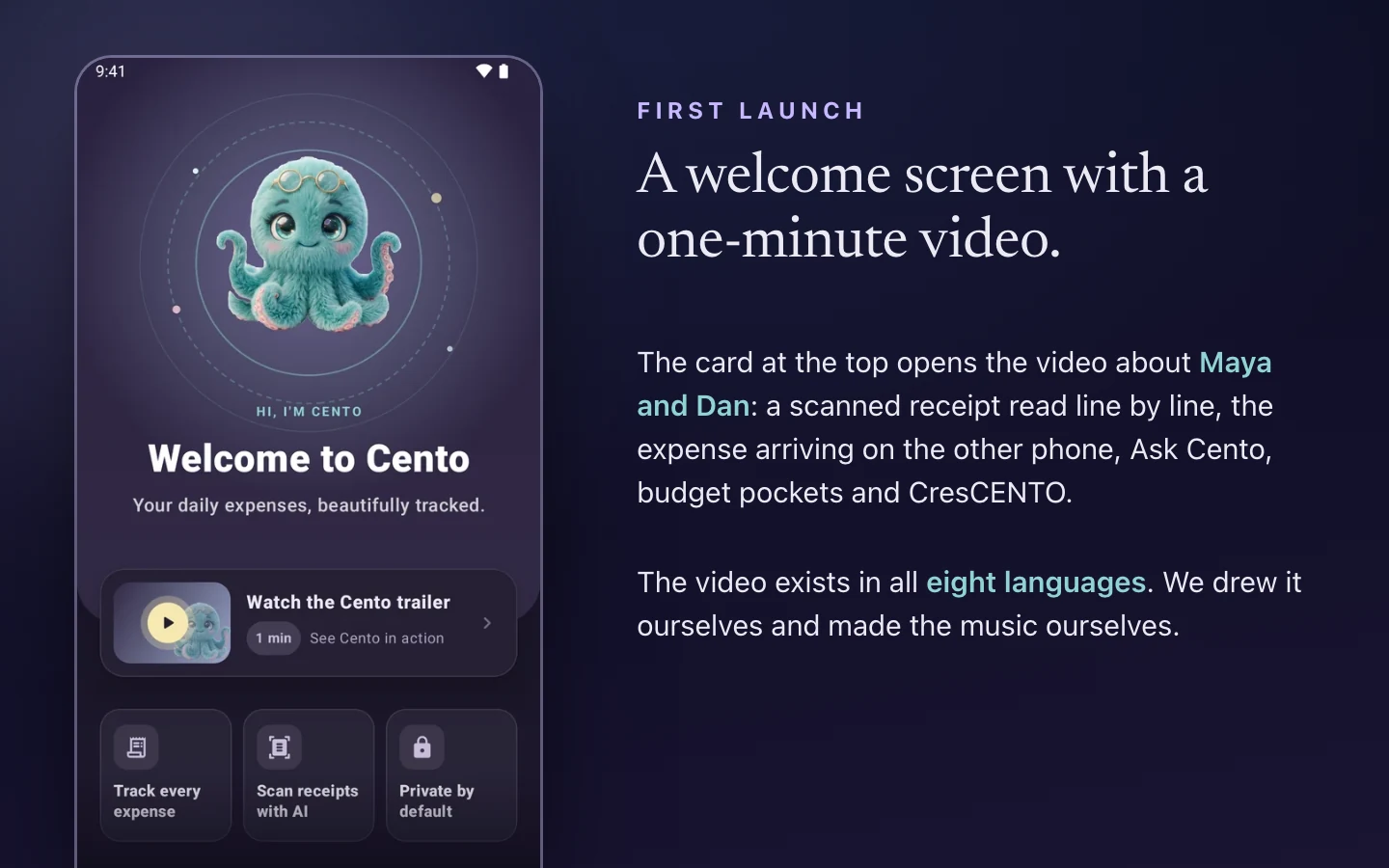
If you already use Cento you won’t see this screen, so here is the video.
An email list, if you want it
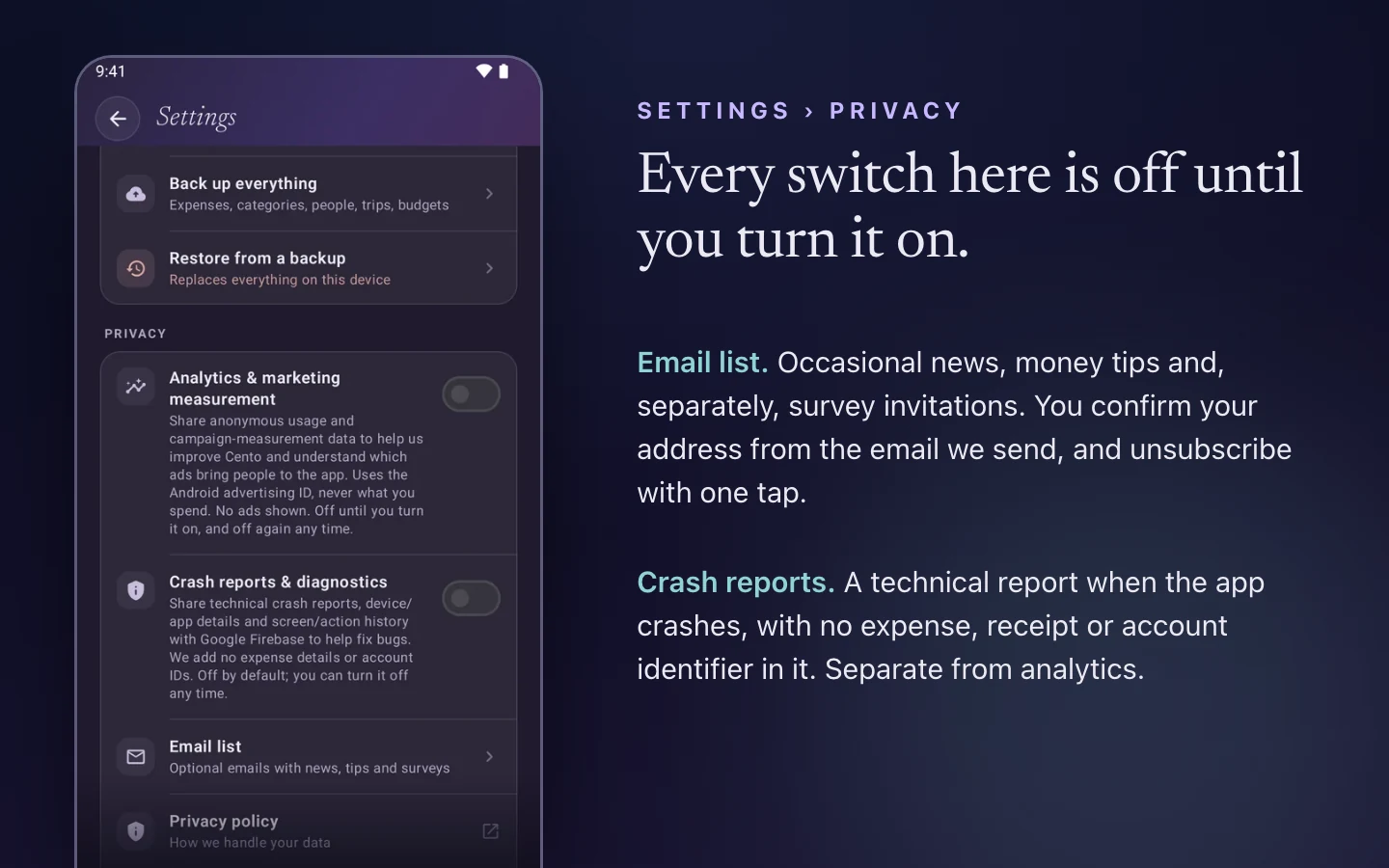
We now have an email list. It sends occasional news about Cento, money tips like the ones on this blog, and, separately, invitations to short surveys about what to build next. It is optional and off until you join. You find it in Settings › Privacy › Email list, where you tick what you want to receive, confirm your address from the email we send, and can unsubscribe with one tap. We don’t track whether you open the emails or click the links in them.
Help us fix crashes, if you choose to
The same Privacy section has a new switch for crash reports. When it is on, a crash sends a technical report with the device model, the app version and the screens that led to it, so we can find the bug and fix it. It contains no expense, no receipt and no account identifier. It is a separate switch from analytics, and both are off until you turn them on.
Smaller changes
- Category names under the Columns chart no longer run into each other on narrow phones.
- The Premium screen says clearly when Google Play can’t take payments on a phone, and what to check.
- The three daily money stories on Home are written in all eight languages.
How to get it
Cento updates through Google Play and the App Store like any app. After the update, the What’s new screen inside the app lists these changes with a short description of each. If you have a question about one of them, or something doesn’t work the way this article says, write to us at contact@funcode.ro.